Whether you work from home or in an office, proper ergonomics can make a big difference in how your body feels throughout the day. A few simple adjustments can help support your spine, improve your posture, and reduce unnecessary stress while using computers, tablets, and phones.
YOUR DESK
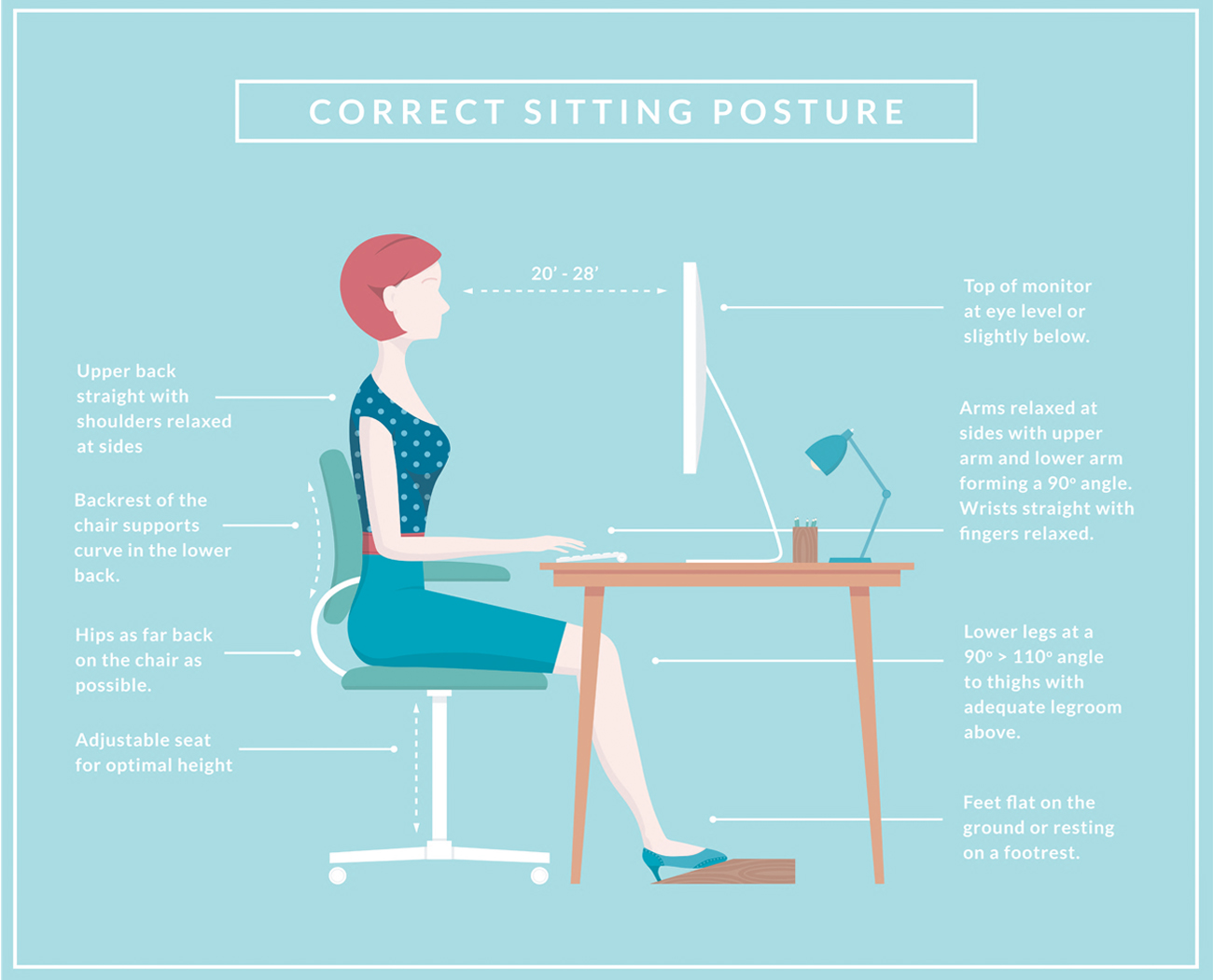
Start with a comfortable, adjustable chair that provides good back support and helps maintain the natural curve of your lower back. Avoid slouching, and consider using an ergonomic keyboard if you spend long hours at your computer.
Position your monitor at or just below eye level so you don’t have to tilt your head up or constantly look down. Keep your elbows, hips, and knees comfortably bent at approximately 90–110 degrees.
You can adjust your monitor, keyboard, chair, desk, or footrest to find the best position for your body. If available, an adjustable sit-to-stand desk makes it even easier to change positions throughout the day and avoid sitting in one position for too long.
 YOUR PHONE
Phones and tablets can quickly pull your head and shoulders forward, creating unnecessary stress on your neck and upper back.
Instead of bending your head down toward your device, bring the device closer to eye level. Keep your shoulders relaxed, avoid slouching, and maintain good posture through your neck and back.
Most importantly, change positions and move regularly. Even perfect posture can become stressful when you stay in the same position for hours.
Small changes to your workstation and daily habits can make a big difference in your posture, spinal health, and how you feel at the end of the day.
More on Ergonomics (with visuals!)